Lyceum is now completely standalone and no longer depends on Calibre. The easiest way to setup Lyceum is using a container, I hope to make it easy to deploy to serverless environments in the near future as well. For now you can run it as simple as:
podman run -d \
  -p 3009:3000 \
  -v /path/to/data/folder/:/data \
  -e AUTH_PASSWORD=your-secret \
  -e BASE_URL=https://lyceum.yourdomain.com \
  ghcr.io/matthewp/lyceum:latest
Lyceum will use the /data folder both for storing your ebook library in a folder structure that mirrors Calibre’s, and also a couple of small sqlite databases.
For converting ebooks I built a separate service, ebook-converter-api which you can point Lyceum to. This is built on a fork of Calibre’s own conversion.
When I first built Lyceum I simply wanted a way to access my ebook library from AI apps like Claude. While building that out I ran into a few things that were not easy to do with Calibre’s unofficial API, such as conversion. This would have required Lyceum to shell-out to another container. It was at this point I started to explore the feasibility of going standalone.
Calibre has a lot of features but I also use the basic library management parts. That was easy enough to build. The one thing that would be difficult is conversion; this has been built up over many years. Luckily there’s a fork of Calibre’s converter utilities, ebook-converter as a CLI. So making this available in Lyceum was as simple as building a small wrapper container service. You can run this standalone or as a sidecar alongside Lyceum.
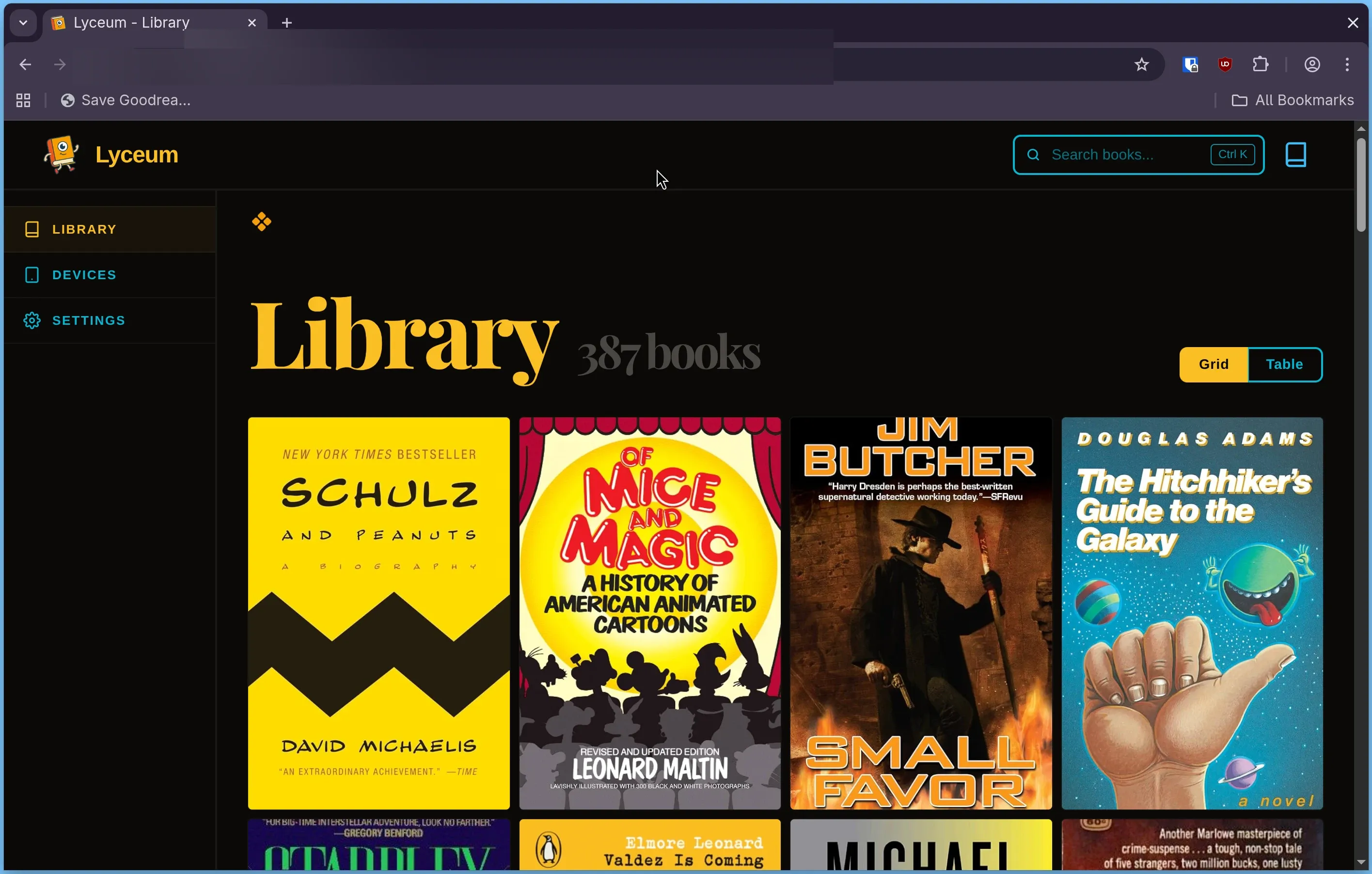
I even built a UI for Lyceum, it looks like below. The UI is a little more limited than the MCP; you can’t edit the metadata from the UI for example, but it contains most of what you’d want to do, such as convert books, or download them.
There’s some new features recently added to Lyceum that make it easier to use with your ereaders; but I’ll save those for a future post.