Lyceum is an open-source ebook management software similar to Calibre but as a web app you run on an always-on home server (or desktop). CrossPoint Reader is a community maintained firmware for Xteink ereader devices the X4 and X3.
Lyceum natively supports CrossPoint. Here I’ll walk through adding your CrossPoint device into Lyceum, then sending articles and books to it. Lyceum also fully supports CrossPoint features like OPDS and KOReader sync. For Xteink owners, Lyceum is all you need, no plugins required.
To add your CrossPoint device, first go to File Transfer -> Calibre Wireless. Even though it says Calibre, Lyceum supports the protocol used. Once in file transfer mode click the Expand button at the top left in Lyceum to show the sidebar menu and select Devices.
From Devices click Add Device and switch to CrossPoint (not Xteink, which is for the native firmware).
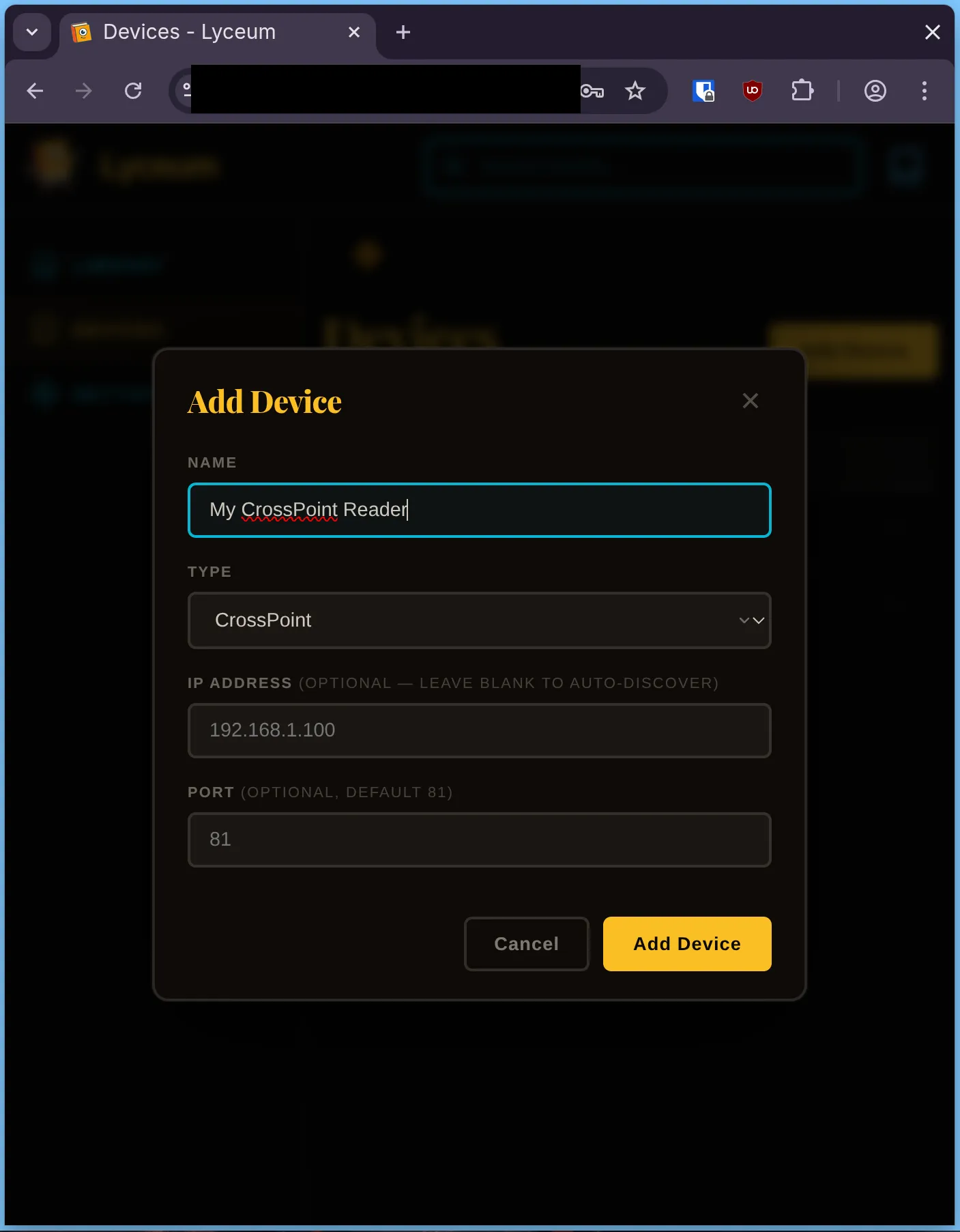
There are 2 optional fields you can just ignore. Click Add Device and Lyceum will discover your device automatically. Important: your device must be in file transfer mode and on the same network as the server running Lyceum.
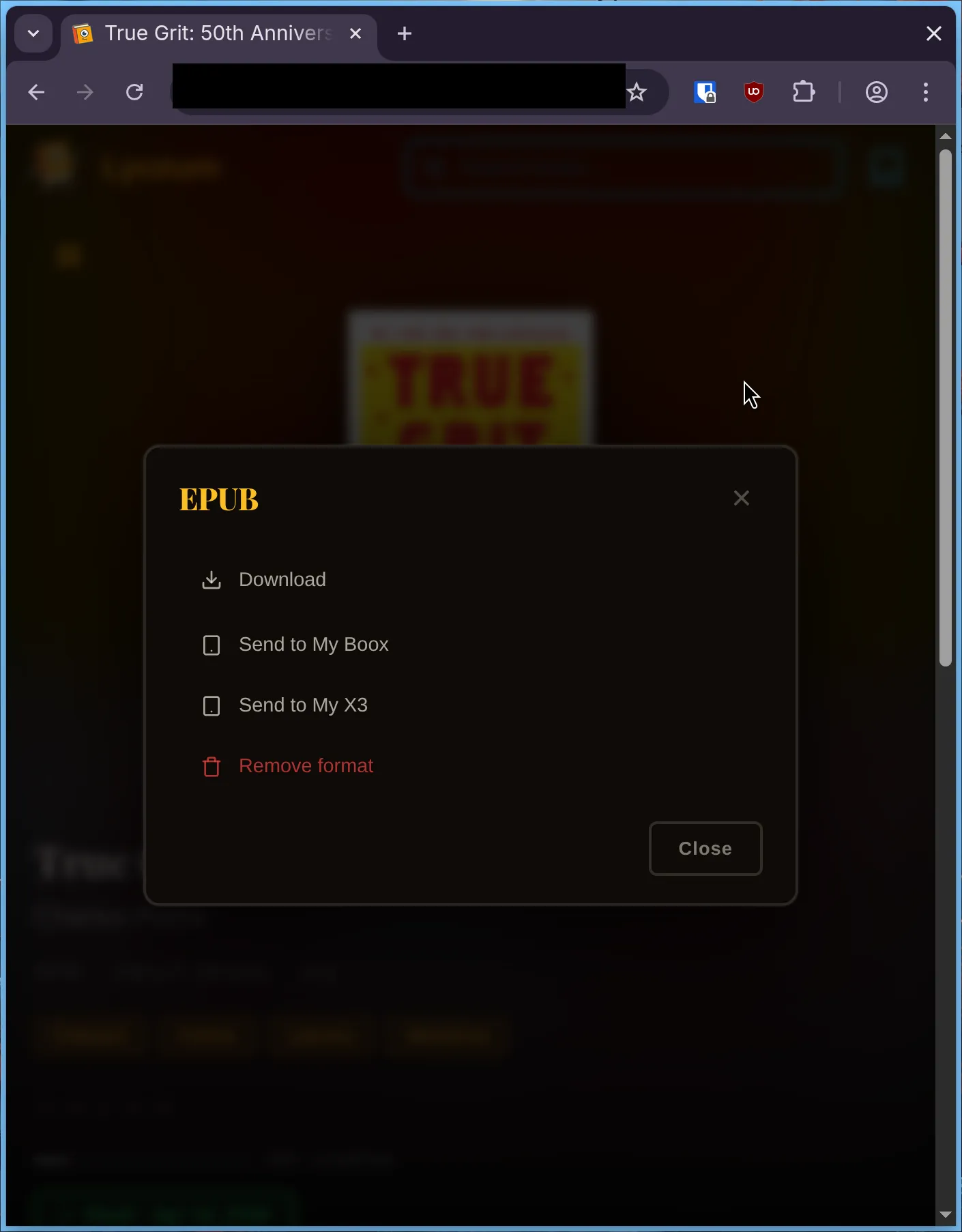
To send a book in your collection to your device, first make sure it’s in File Transfer mode, then in Lyceum go to the book details page and select the format you want to send (such as epub). From the next screen, select the Send to… button for your device.
Lyceum can also send any web URL to your device. When you use this feature Lyceum grabs the article contents from the page and turns it into an epub book with a nice cover image. The easiest way to do this is with a bookmarklet so you can one-click send any article you’re reading in your browser.
Go back to the Devices page and select your CrossPoint device. Drag the button up to your bookmarks bar (in Google Chrome) or add a bookmark however your browser does that.
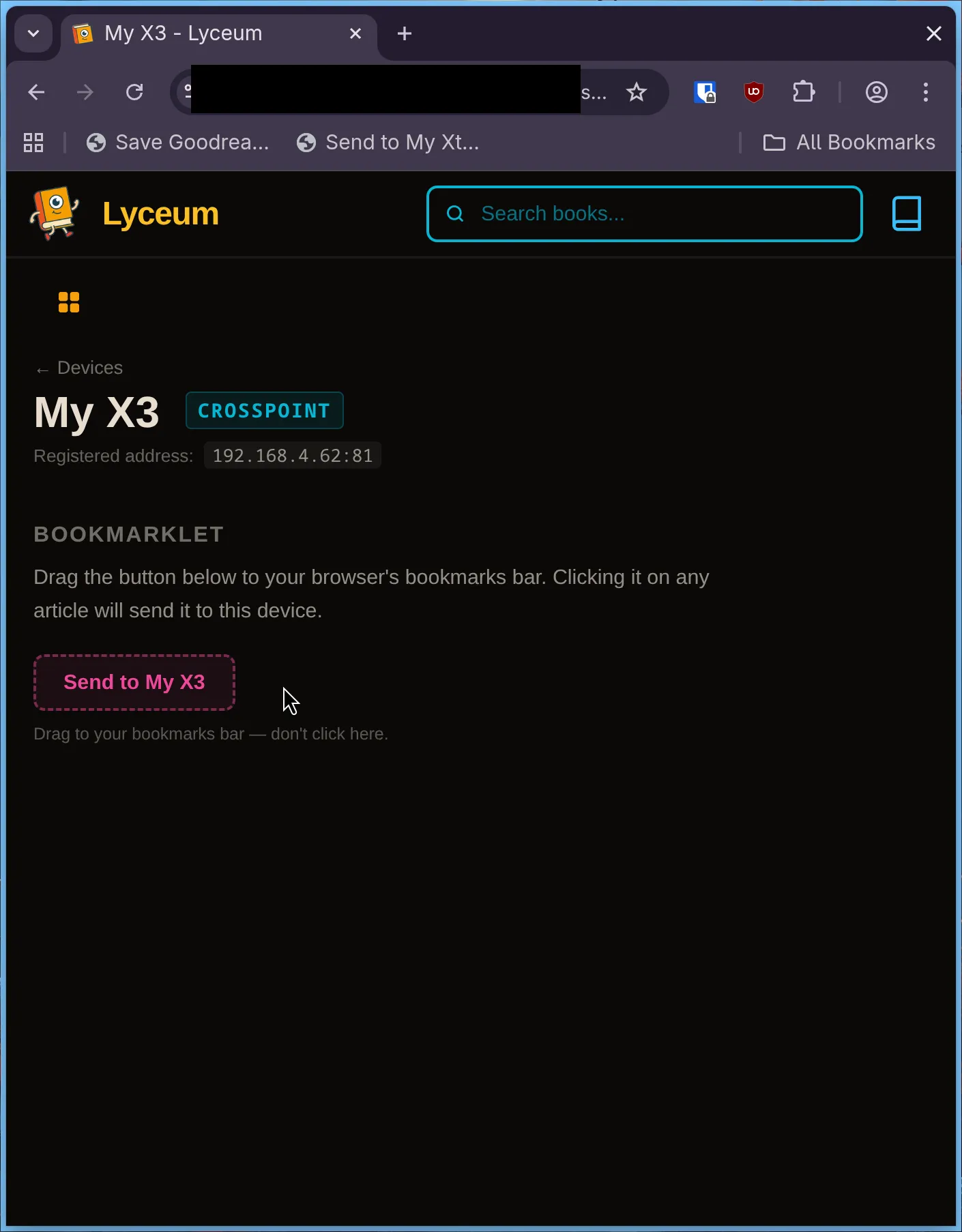
That’s it. Now, with your device in File Transfer mode, any web page you are visiting can have the article sent to your Xteink with a single click.
This feature is new to Lyceum but I’ve been using it myself frequently for about a week without trouble. Any bugs you encounter, please file them in the GitHub.